



From the manufacturer

Key Features of BenQ GW2480T
|
|
|
|
|
|---|---|---|---|
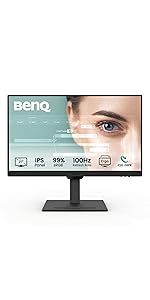
Ergonomic DesignEasily customize the height, tilt, pivot, stroke and swivel of the monitor to create a perfect user environment and workspace so you can enjoy all the images in their full contexts. |
Frameless Design to Enlarge Your WorkspaceWith a 6.63mm of intrusive bezel width, BL2480T boasts a stylish frameless design to make the monitor look lighter and larger. You can build an edge-to-edge setup and enjoy an expansive viewing experience. |
IPS Wide Viewing Angle TechnologyIPS (In-Plane Switching) Technology provides accurate color and image reproduction from any angle. An expansive 178° viewing angle is ideal for work and for on-screen reviews with multiple people in the room. |
|


Key Features of BenQ GW2480T
|
|
|
|
|
|---|---|---|---|
Picture Perfect Content OptimizationBrightness Intelligence Technology detects content intensity to avoid overexposure of bright scenes while enhancing dark areas to maintain clear visibility. |
Eliminate Eye Strain in Any Ambient LightBrightness Intelligence Technology monitors ambient light in your viewing environment and actively adjusts screen brightness for the most comfortable viewing experience possible. |
Low Blue Light TechnologyUnique BenQ Low Blue Light Technology is designed to filter out harmful blue light, effectively diminishing eye fatigue and irritation. |
Color Weakness ModeBenQ’s Color Weakness mode allows users to customize the amount of red or green displayed on the monitor with magenta and cyan filters, ensuring accurate color distinction for users. Additionally, users can adjust the level of color weakness mode. |


|

|

|

|

|
|
|
|---|---|---|---|---|---|---|
|
GW2480T |
GW2490 |
GW2490T |
GW2790 |
GW2780T |
GW2790T |
|
|
|
|
|
|
|
|
|
| Customer Reviews |
388
|
19,072
|
19,072
|
19,072
|
288
|
19,072
|
| Price | $119.99 | — | — | — | $144.99 | — |
| Screen Size | 23.8 | 23.8 | 23.8 | 27 | 27 | 27 |
| Refresh Rate (Hz) | 60 | 100 | 100 | 100 | 60 | 100 |
| Native Contrast | 1000:1 | 1300:1 | 1300:1 | 1300:1 | 1000:1 | 1300:1 |
| Color Gamut | 72% NTSC | 99% sRGB | 99% sRGB | 99% sRGB | 72% NTSC | 99% sRGB |
| ePaper mode | ✓ |
✓ |
✓ |
✓ |
||
| HDMI (V1.4) | 1 | 2 | 2 | 2 | 1 | 2 |
| DisplayPort (v1.2) | 1 | 1 | 1 | 1 | 1 | 1 |
| Height Adjustable Stand | 140mm | 110mm | 140mm | 110mm | ||
| Pivot | 90˚ | 90˚ | 90˚ | 90˚ | ||
| VESA Wall Mount | 100×100 | 100×100 | 100×100 | 100×100 | 100×100 | 100×100 |


Songyang –
Nice monitor. enough for my use!
Nikolas Ev. –
It helps me do my work a lot it has a really good display.
J. Baker –
My eye doc *strongly* suggested I get a monitor after working from a small laptop screen the last year. I received this today and set it up immediately. The difference on my eyes is so amazing that I ordered another one so I can work from both.
Carlos V. –
Good!
CLuc –
High quality monitor with long term use is easy on the eyes
Jake –
I liked the quality of the monitor. But the volume is quite weak
Kaitlyn P. –
Are you looking for a WFH monitor and paralyzed by all the options and price points? BUY THIS MONITOR. I want to save time and sanity for everyone else wasting their time doing too much research. I use word, outlook, excel and chrome all day. It works for all of these things swimmingly, has a matte screen and looks nice on my desk. Get the version with the adjustable stand. Great price for a 27inch monitor that does what it needs to do if you’re doing regular office work stuff. Stop analyzing, buy this one.
Grace Gordon –
Great design and functionality
Bruce W. –
Best value
Josh LJosh L –
Exactly what I wanted for a second monitor. Keep in mind the hdmi that comes with it was a little short for me. Has a great viewing angle and works perfectly.